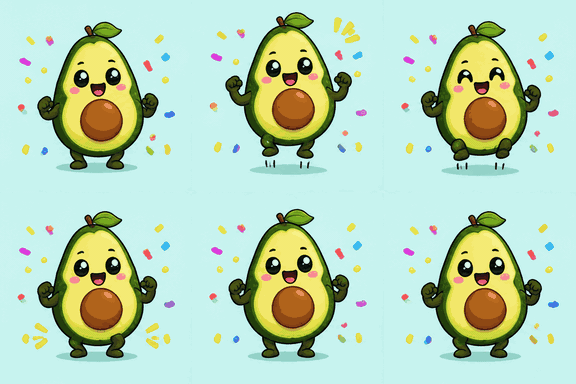
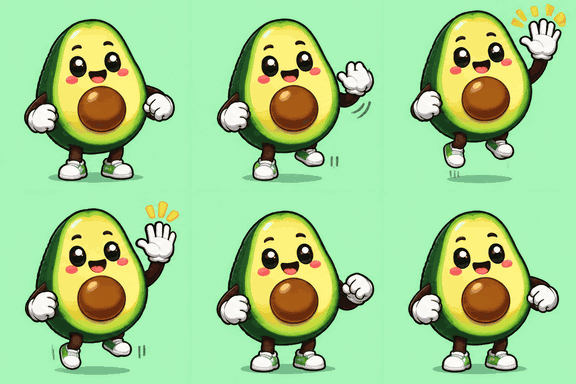
Create a coordinated set of AI reactions, memes or stickers.
One brief, editable prompts for every GIF
Optional reference photo and captions
Individual downloads or a ZIP
How to create a GIF set
Describe your set
Write a brief for a collection of reactions, memes or stickers. Choose the number of GIFs, style, quality, frames and frame duration. Add a reference photo if the set should share a particular subject. Sign in to save the project; your creation draft is restored after sign-in.
Review the plan
The planner proposes a shared style guide and an individual title, animation prompt and optional caption for each GIF. Edit the cards, add or remove ideas, and arrange their order. Review each prompt for one clear action and check that the captions suit the audience.
Generate and export
Generate an individual GIF or select several and use Generate all. The editor shows the total credits before submission. Follow the status of each item, review the completed animations, and download individual GIFs or a ZIP. Resize or compress an exported GIF when your destination needs a different format.
GIF set examples
Each set below came from one brief. The planner wrote the six prompts and captions; every GIF is a real 512×512, 8-frame result at Standard quality, shown here at a smaller size.
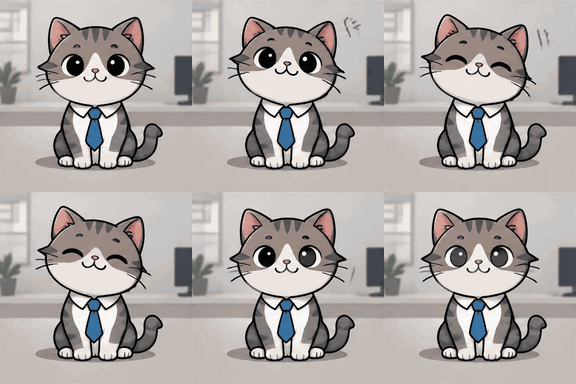
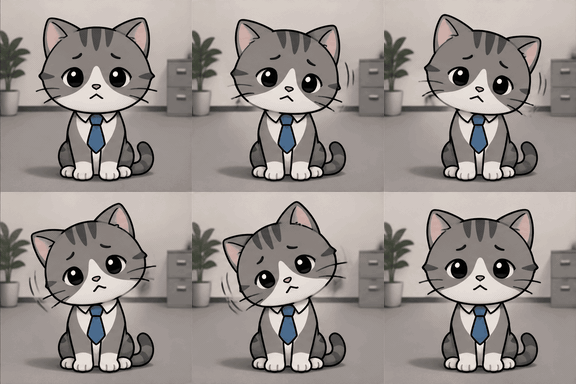
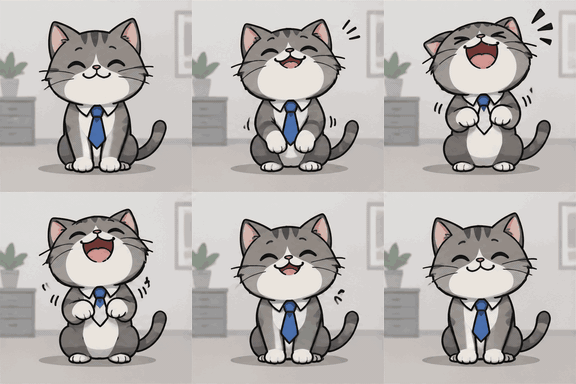
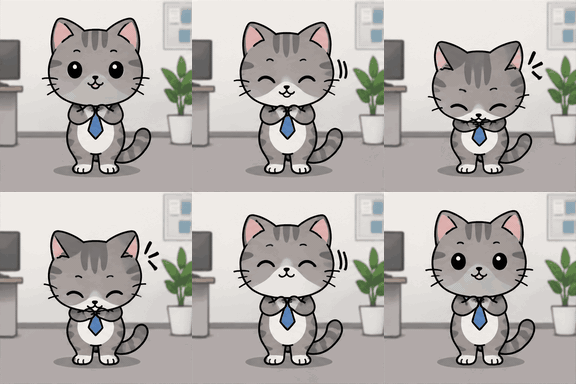
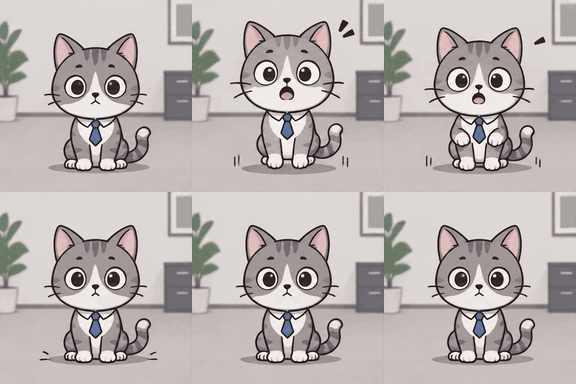
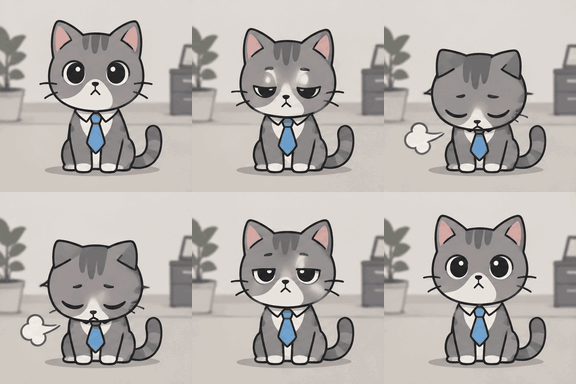
Office cat reactions
“A small gray office cat wearing a tiny blue tie, reacting to everyday work chat: agreeing, refusing, laughing, saying thanks, being surprised and feeling tired after a long meeting.”
Reaction · Standard · 8 frames · Captions bottom, uppercase
Agreeing Nod
Polite Refusal
Sudden Laugh
Grateful Bow
Surprised Gasp
Meeting Exhaustion
Planned prompts
Agreeing Nod. Small gray office cat wearing a tiny blue tie, centered on a plain neutral office background, gently nodding with a friendly smile in a seamless loop, simple clean cartoon reaction animation, no text.
Polite Refusal. Small gray office cat wearing a tiny blue tie, centered on a plain neutral office background, shaking its head side to side with a mild apologetic expression in a seamless loop, simple clean cartoon reaction animation, no text.
Sudden Laugh. Small gray office cat wearing a tiny blue tie, centered on a plain neutral office background, throwing its head back and laughing with bouncing shoulders in a seamless loop, simple clean cartoon reaction animation, no text.
Grateful Bow. Small gray office cat wearing a tiny blue tie, centered on a plain neutral office background, giving a small appreciative bow with paws together in a seamless loop, simple clean cartoon reaction animation, no text.
Surprised Gasp. Small gray office cat wearing a tiny blue tie, centered on a plain neutral office background, eyes wide and ears perked up in a surprised gasp with a subtle bounce in a seamless loop, simple clean cartoon reaction animation, no text.
Meeting Exhaustion. Small gray office cat wearing a tiny blue tie, centered on a plain neutral office background, slumping down and blinking sleepily with a weary sigh in a seamless loop, simple clean cartoon reaction animation, no text.
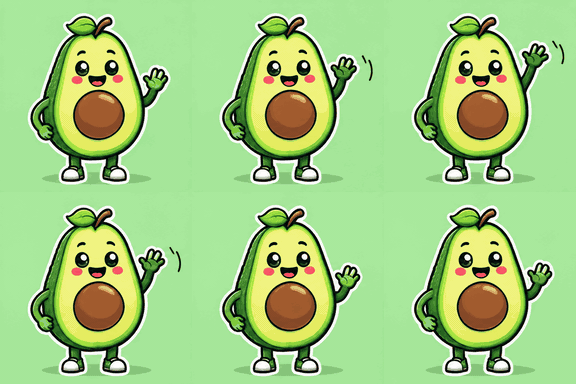
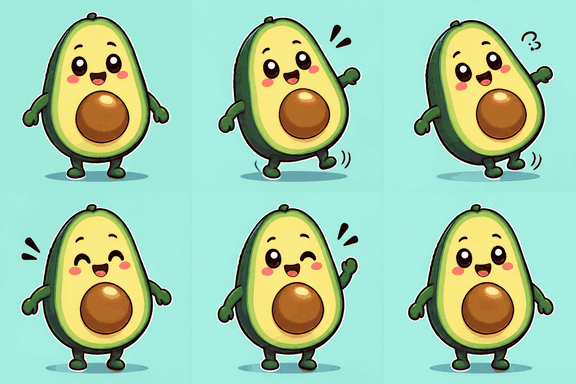
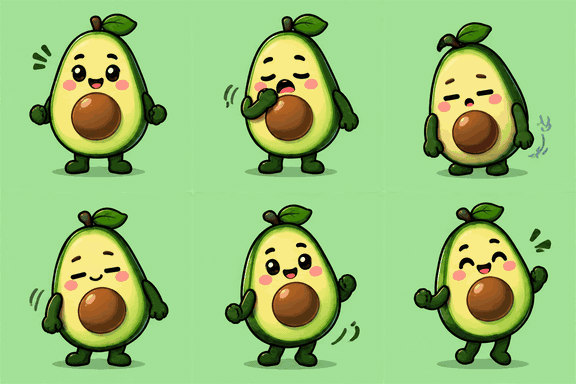
Avocado sticker pack
“A cheerful avocado character sticker pack for a friends group chat: saying hi, loving something, oops, celebrating, sleepy, and giving a high five.”
Sticker · Standard · 8 frames · Captions bottom
Hello Wave
Love It
Oops Slip
Happy Celebrate
Sleepy Yawn
High Five
Planned prompts
Hello Wave. A cheerful avocado character centered on a simple pastel background, smiling and repeatedly waving one small hand in a friendly greeting, smooth seamless loop, sticker-style cutout, no text.
Love It. The same avocado character on a simple pastel background, eyes sparkling with delight and hugging a floating heart close to its body in a gentle looping squeeze, sticker-style cutout, no text.
Oops Slip. The same avocado character on a simple pastel background, making a small clumsy slip and wobble, then catching itself and blinking sheepishly in a seamless loop, sticker-style cutout, no text.
Happy Celebrate. The same avocado character on a simple pastel background, bouncing in place with tiny celebratory arm pumps and confetti popping softly around it in a seamless loop, sticker-style cutout, no text.
Sleepy Yawn. The same avocado character on a simple pastel background, slowly yawning and drooping with sleepiness, then blinking and settling into a gentle sway in a seamless loop, sticker-style cutout, no text.
High Five. The same avocado character on a simple pastel background, enthusiastically raising one hand for a high five and lightly bouncing in place as if ready to connect, smooth seamless loop, sticker-style cutout, no text.
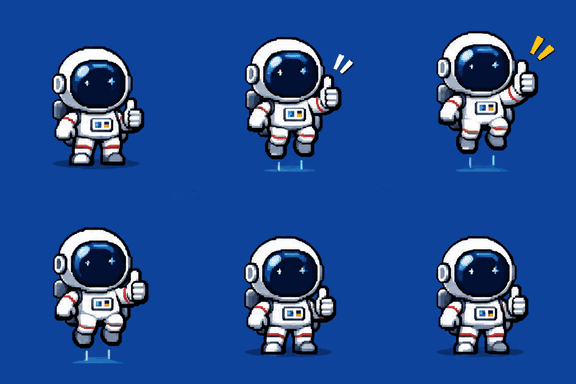
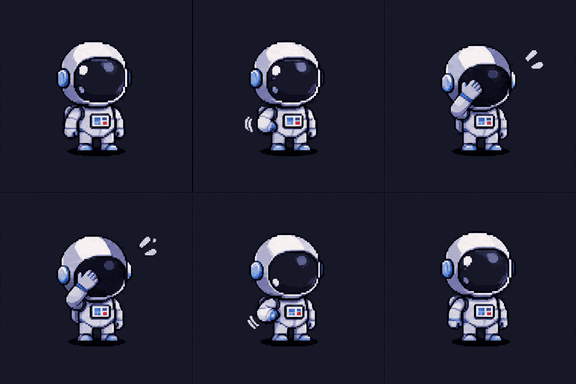
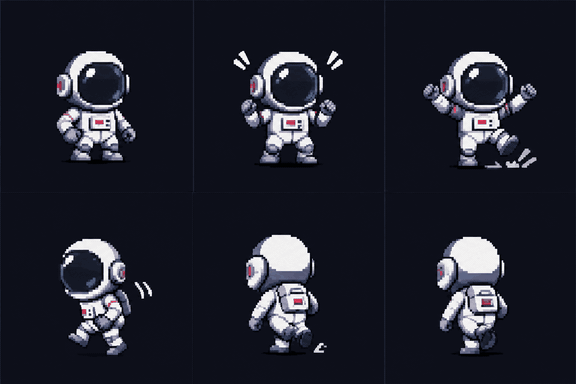
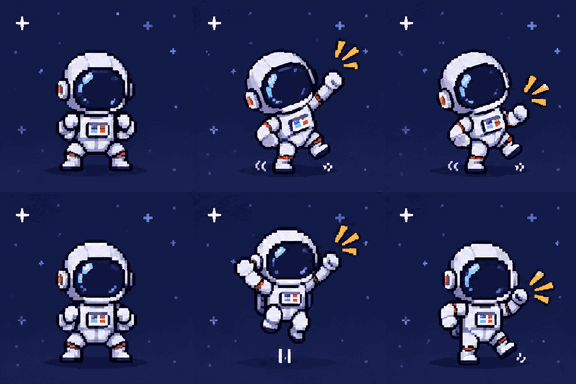
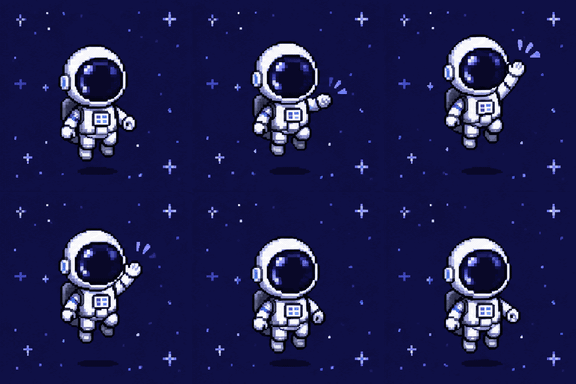
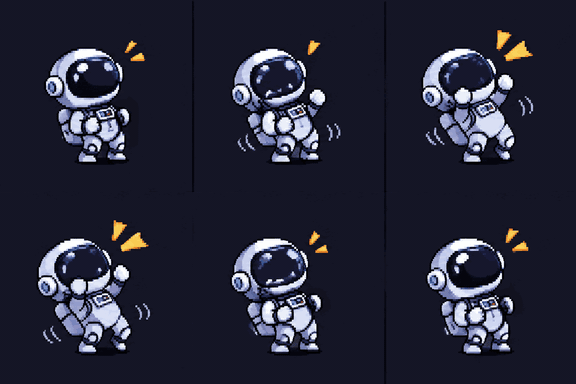
Pixel astronaut emotes
“Tiny pixel-art astronaut emotes for a gaming Discord server: good game, thumbs up, facepalm, rage quit, victory dance and waving goodbye. No captions, the gestures carry the meaning.”
Pixel · Standard · 8 frames · No captions
Good Game
Facepalm
Rage Quit
Victory Dance
Wave Goodbye
Laugh
Planned prompts
Good Game. A tiny pixel-art astronaut standing center frame on a simple space-blue background, raising one hand in a clear thumbs-up gesture, with a small upbeat bounce loop.
Facepalm. A tiny pixel-art astronaut on a plain dark background, slowly bringing one hand to the helmet in a classic facepalm loop, with a slight embarrassed bob.
Rage Quit. A tiny pixel-art astronaut on a simple dark background, dramatically throwing both hands up and stomping in place before turning away in a looping frustrated exit gesture.
Victory Dance. A tiny pixel-art astronaut on a simple starry background, doing a cheerful looping victory dance with alternating arm pumps and little side-to-side steps.
Wave Goodbye. A tiny pixel-art astronaut on a plain space background, gently waving one hand in a friendly looping goodbye motion, with a soft drifting bob.
Laugh. A tiny pixel-art astronaut on a simple dark background, leaning back slightly while shaking with silent laughter in a looping animated chuckle.
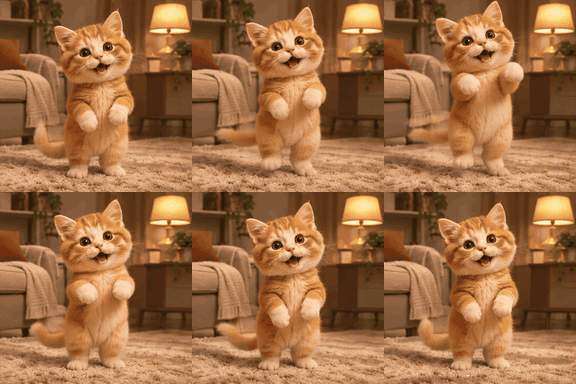
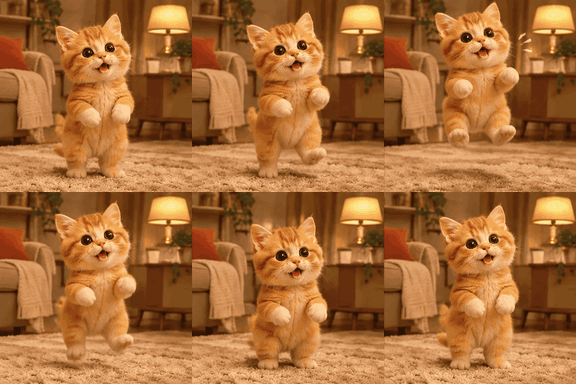
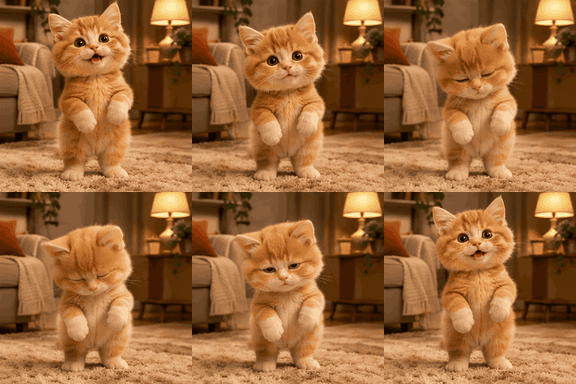
Kitten reactions from one photo
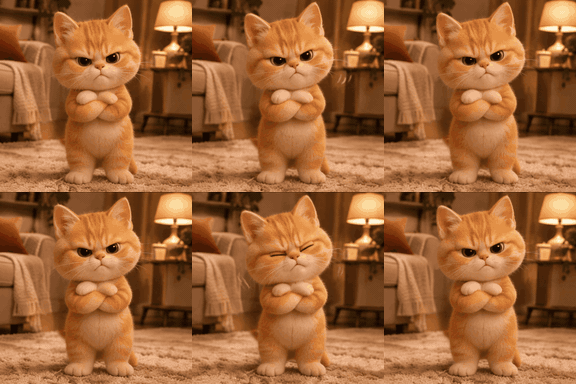
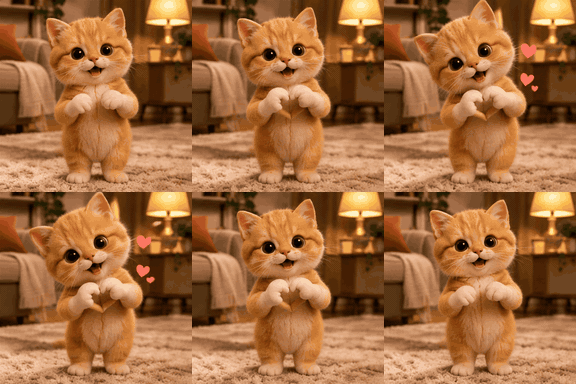
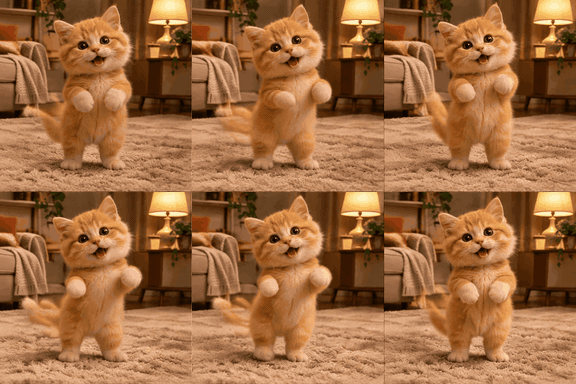
“Turn the orange kitten in this photo into six chat reactions with the same kitten: happy, shocked, sleepy, grumpy, sending love and dancing.”
From one reference photo · Standard · 8 frames · Captions top, uppercase
Happy Kitten
Shocked Kitten
Sleepy Kitten
Grumpy Kitten
Love Kitten
Dancing Kitten
Planned prompts
Happy Kitten. The same orange kitten stands on its hind legs in a cozy living room, gently bouncing with paws lifted and a bright delighted expression, tail swishing in a small loop; claymation style, warm soft lighting, simple background, seamless loop
Shocked Kitten. The same orange kitten freezes mid-bounce with wide eyes, tiny mouth open, ears perked, then softly recoils and returns to the startled pose in a loop; claymation style, warm soft lighting, simple background, seamless loop
Sleepy Kitten. The same orange kitten slowly droops, blinking heavy-eyed, swaying slightly with paws tucked in, then gently nods off and rises back to the sleepy pose in a loop; claymation style, warm soft lighting, simple background, seamless loop
Grumpy Kitten. The same orange kitten pouts with narrowed eyes and crossed tiny paws, giving a subtle annoyed wobble before resetting to the grumpy stance in a loop; claymation style, warm soft lighting, simple background, seamless loop
Love Kitten. The same orange kitten forms a heart gesture with its tiny paws, leans forward affectionately, and gives a soft head tilt before returning to the heart pose in a loop; claymation style, warm soft lighting, simple background, seamless loop
Dancing Kitten. The same orange kitten does a cheerful little dance on the rug, alternating paw steps and a side-to-side bounce with a swaying tail, then repeats smoothly in a loop; claymation style, warm soft lighting, simple background, seamless loop
Meme packs, reactions and stickers
A reaction set can cover different responses while retaining a shared subject and visual style. Describe the audience and the expressions you need in the brief. For a meme pack, identify the situations each reaction should address and enable captions. Keep the words short enough to read while the animation loops, especially when the result will appear inside a conversation.
For Discord or Slack, review the destination’s emoji requirements before uploading. Each service applies its own rules to animated images and workspace permissions. Use GIF Resizer for exact dimensions and GIF Compressor for a file-size target. Check the resulting animation at its intended display size: a detailed expression or long caption may become hard to read in a small emoji.
Sticker packs work best when each gesture is distinct. Review overlapping ideas in the plan and change prompts that describe nearly identical actions. A shared style guide helps connect the set visually, but each GIF is generated separately. Inspect the finished results for changes in clothing, colors or facial details before distributing a pack.
A reference photo gives the planner a visual subject to describe and is also used for image-based GIF generation. Choose an image you are authorized to use, with the important subject clearly visible. The same reference applies to the project’s items. It is not a collection of separate source photos for batch conversion.
Without a reference photo, the planner writes a shared character and style description from your brief. That guide accompanies each item’s animation prompt. Include the details that matter to the set, such as the character’s appearance, a simple background and the intended mood. Avoid asking each item to introduce a different scene when consistency is the goal.
The editor lets you refine individual prompts before generation. Keep a single subject and a clear looping action in each one. A reference or shared guide provides direction, not a guarantee of identical characters. Regenerate individual results that do not fit the collection; each new generation uses the displayed number of credits.
Captions you can edit and preview
Captions are separate from the animation prompt. The GIF model is instructed not to draw lettering into the scene; the browser adds your caption during export. Enable captions when planning to receive short suggestions, or edit the caption field on an item yourself. An empty caption leaves that GIF without added text.
The caption preview uses Anton, a self-hosted bold typeface, with white lettering and a black outline. Choose top or bottom placement and optional uppercase. The preview and exported GIF share the same text layout. Long captions wrap and shrink to fit; review the preview before downloading, particularly if the animation contains a face or gesture near the caption.
Edited caption text is checked with the prompt when you generate the item. Saving changes to a generated item makes it a draft again, so generate the revised item before exporting it. Ready exports use the caption approved for that generation. Free-plan exports also include the existing AIGifsMaker watermark.
Credits, queues and saved projects
Planning does not spend generation credits. It has a daily allowance based on your plan. The creation form estimates generation credits for the selected settings, and the editor shows the exact selection total with your available balance. Reference-based and text-based generations use their respective prices. Quality and frame count also affect the total.
Generate all checks your balance before queuing the selection. Items start as capacity becomes available under your account’s concurrency and daily generation limits. Queued items can be cancelled before admission. Once generation has started it cannot be withdrawn; failed generation jobs follow the existing credit refund rules. If credits become insufficient while a set is queued, the affected items remain available to resume after purchasing credits.
Your project and its editable text remain available until you delete the project. Generated GIF files have the storage period associated with your plan. An expired result must be generated again to obtain a new file. Deleting a project removes its cards but does not delete already generated GIFs from My GIFs.
Project and generation limits
Limit
Free
Starter
Pro
GIFs per project
4
12
24
Plans per day
5
30
60
Active projects
3
20
100
Concurrent generations
1
2
4
Generations per day
10
100
250
GIF storage (days)
7
90
365
Download a complete set
Download all processes the project’s ready GIFs sequentially in your browser. It adds captions and any applicable watermark, then creates a ZIP with numbered filenames in the project order. Progress shows the current export stage. Keep the tab open while the archive is being built, and use Cancel export if you need to stop the local operation.
A failed or unavailable item does not discard the remaining downloads. README.txt in the ZIP lists items that were skipped, including items still waiting for generation or whose files have expired. Review that list before sharing the archive. Cancelling an export does not cancel generation jobs or remove any saved project data.
What this page does not do
Bulk GIF Maker creates new AI animations from a project brief and optional reference. It does not batch-convert a folder of existing videos or images. Video to GIF converts a clip locally, and Image to GIF includes local image-sequence conversion. Those workflows are separate from project planning and do not require AI generation credits.
Yes. Planning uses your plan’s daily planning allowance and does not deduct generation credits. Generating or regenerating GIFs costs the amount shown in the editor.
Can I edit the AI plan?
Yes. Edit titles, prompts and captions, add or delete items, and reorder the cards. Re-plan unplanned items when you want different suggestions; generated items retain their results.
Do all GIFs generate at the same time?
No. Generate all queues the selection and admits items within your plan’s concurrency and daily generation limits. You can leave the editor and return to check their status.
Can I change project settings later?
Yes, before generation begins. After the first generation, settings that determine generation behavior are fixed. Caption formatting and the project description remain editable when no items are running.
What happens when I do not have enough credits?
The editor offers the existing plan and credit options. Generate all does not queue a selection whose total exceeds your balance. An item that runs out of credits while queued displays Needs credits.
Will the ZIP contain every item?
It contains the ready items that export successfully. README.txt identifies skipped items, so you can generate or retry them separately. Downloaded captions and applicable watermarks are rendered locally.
Are my projects public?
No. Projects require your account. Descriptions, prompts and captions are retained until project deletion. The privacy policy explains reference-image processing, generation providers and GIF retention.